How do I submit Jeevan Pramaan Digital Life Certificate from mobile in 2027?
Jeevan Pramaan PPO & Disbursing Agency Matcher (2027)
Select your exact pension authority to view the precise PPO format, disbursing agency dropdown, and step-by-step submission rules.
Central Government (Civil)
- 12-Digit PPO Number (from CPAO Pension Passbook)
- Aadhaar Number linked with Bank Account
- Pension Savings Bank Account Number
- Mobile number for receiving OTP (Need not be Aadhaar linked)
- Download AadhaarFaceRD (UIDAI) and Jeevan Pramaan Face App (NIC) from Google Play Store or Apple App Store.
- Open Jeevan Pramaan app, allow Camera permissions, and complete Operator Authentication using any family member's Aadhaar & mobile OTP.
- Enter Pensioner's Aadhaar, Mobile Number, select Sanctioning Authority & Disbursing Agency shown above, and enter PPO Number.
- Hold front camera 1.5 feet away against clean bright daylight (no background shadows). Blink eyes when the green circular face frame appears.
- Upon face verification, Pramaan ID is instantly generated on screen and sent via SMS. Download acknowledgment PDF from
jeevanpramaan.gov.in.
The 2027 Digital Life Certificate Mandate: Why FaceRD Replaces Bank Visits
Every year in November, more than 70 lakh pensioners across India are required to present themselves before their pension disbursing authorities to prove they are alive. Historically, this compelled elderly citizens—many octogenarians, bedridden, or suffering from arthritis and visual impairments—to travel long distances and stand in exhausting queues at treasury offices and bank branches.
Furthermore, age-related epidermal flattening causes fingerprint ridges to fade, leading to a over 35% failure rate during physical biometric thumbprint authentication. To solve this, the Department of Pension and Pensioners' Welfare (DoPPW), in technical partnership with the National Informatics Centre (NIC) and UIDAI, launched the Aadhaar Face Authentication Technology (FaceRD). This breakthrough enables any smartphone equipped with an internet connection and a camera to generate a legally certified Digital Life Certificate (DLC) in under 120 seconds.
How Live Face Verification Operates
The Aadhaar FaceRD app projects an elliptical facial contour grid onto your screen. It analyzes 80+ biometric nodal points (distance between eyes, nose bridge curvature, jawline depth) against the high-resolution photo stored in UIDAI's central Aadhaar database. An eye-blink prompt confirms liveness, preventing photo spoofing.
Automated Disbursal Clearing Pipeline
Once generated, your DLC is assigned an 8-character alphanumeric Pramaan ID and stored in the encrypted central Jeevan Pramaan repository. Pension-paying agencies (SBI CPPC, PNB, SPARSH, CPAO, and State Treasuries) pull this data via automated API batches, ensuring your December pension credits uninterrupted.
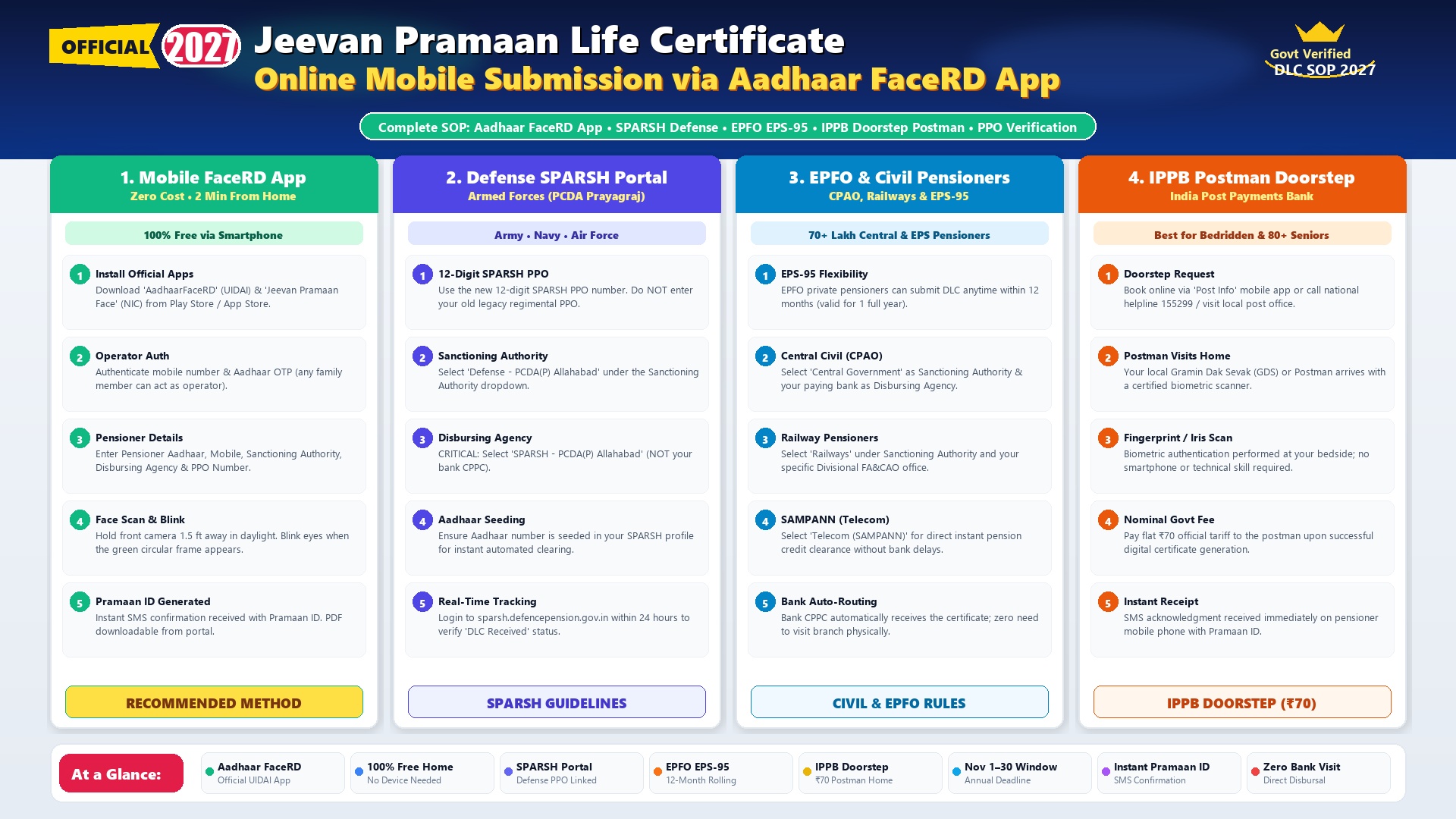
Step-by-Step SOP: Submitting Jeevan Pramaan from Mobile
Follow this verified 5-step operational workflow to complete your face authentication without errors.
1Install the Two Mandatory Companion Applications
Open the Google Play Store (Android) or Apple App Store (iOS) and install two distinct official government applications:
- AadhaarFaceRD (Early Access / Production) by Unique Identification Authority of India (UIDAI). Note: This app runs as a background service and will not create a launcher icon on your home screen.
- Jeevan Pramaan (Face App) by National Informatics Centre (NIC).
2Complete One-Time Operator Authentication
Launch the Jeevan Pramaan app. You will be prompted for Operator Authentication. The operator does not need to be the pensioner—any son, daughter, grandchild, or helper with an active Aadhaar and mobile phone can act as the operator. Enter the operator's Aadhaar number, mobile number, and email. Submit the OTP received via SMS, and perform a quick face scan of the operator to unlock the pensioner portal.
3Enter Pensioner Identity & PPO Credentials
Once in Pensioner Authentication mode, enter the actual pensioner's credentials:
- Pensioner Aadhaar Number: 12-digit UID of the retired employee.
- Mobile Number: Can be any active phone (need not be Aadhaar linked).
- Type of Pension: Service / Family / Disability.
- Sanctioning Authority: Central Govt / Defense PCDA / EPFO / Railways.
- Disbursing Agency: Paying Bank Name OR SPARSH PCDA(P) Allahabad.
- PPO Number: Exactly as printed on your Pension Passbook or SPARSH profile.
- Account Number: The exact savings account where pension is deposited.
4Execute the Live Facial Scan & Eye-Blink Authentication
Check the declaration box confirming the details are accurate, and tap Scan Face. The camera viewfinder will open. Seat the pensioner facing natural daylight (avoid bright backlights from windows or ceiling tubes behind the head). Ensure glasses with glare are removed. When the face turns into a solid green circular border, instruct the pensioner to blink their eyes once deliberately. The camera will automatically capture the image and process UIDAI match within 5 seconds.
5Receive Pramaan ID & Download Verified Receipt PDF
Upon successful match, a confirmation screen displays: "Client submission successful. Your Pramaan ID is [e.g. 5183-4920]." Simultaneously, an SMS containing this Pramaan ID is delivered to the registered phone. To download the formal government receipt PDF, visit jeevanpramaan.gov.in > Pensioner Login, enter your Pramaan ID and OTP, and download the official stamped certificate for your records.
Authority-Specific Rules: Defense SPARSH, EPFO & State Treasuries
PCDA(P) Prayagraj Protocol
If your defense pension was transitioned to the online SPARSH portal, you MUST select SPARSH - PCDA(P) Allahabad as both your Sanctioning Authority and Disbursing Agency. Entering your old SBI or PNB CPPC will lead to a rejected certificate. Furthermore, use your 12-digit SPARSH PPO, which starts with numbers like 401....
12-Month Rolling Validity
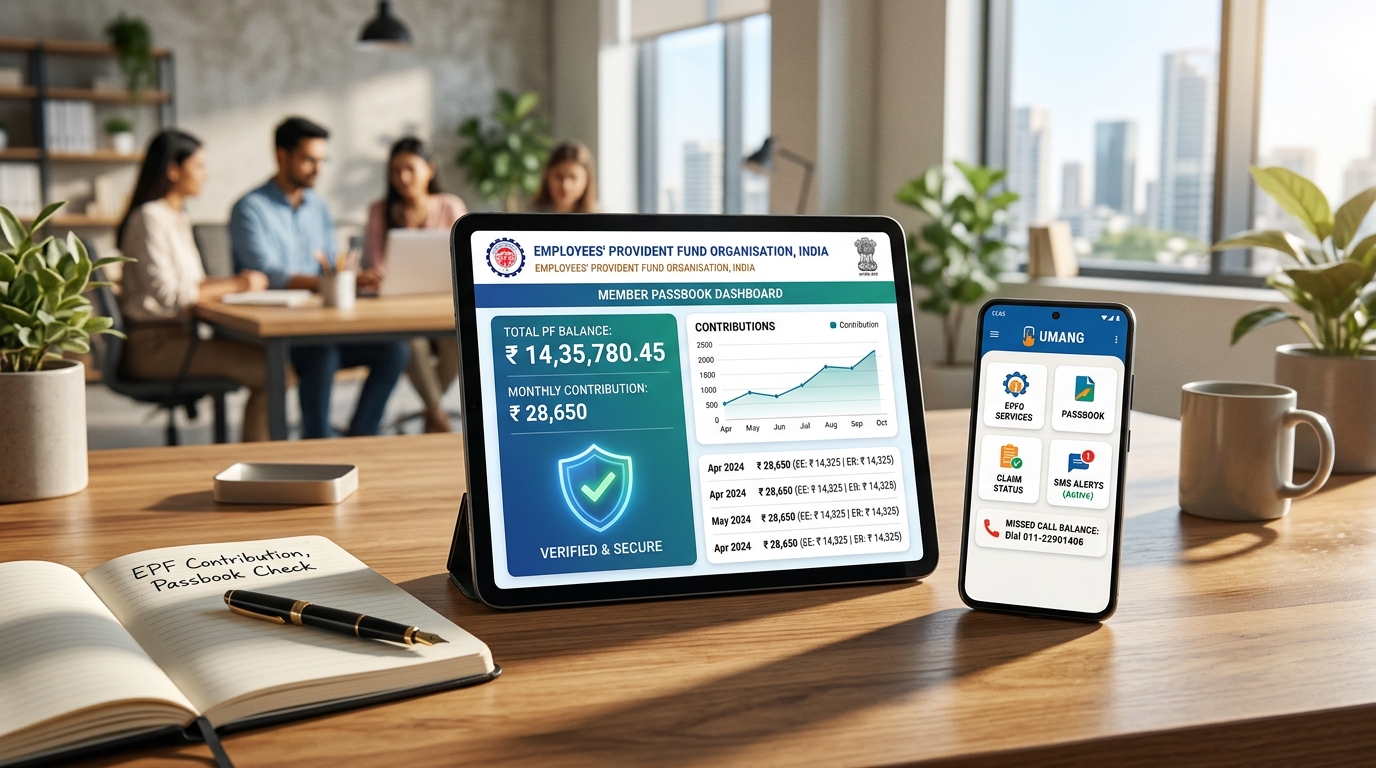
Unlike government pensioners who are tied strictly to November, the Employees' Provident Fund Organisation (EPFO) allows EPS-95 pensioners to submit their digital life certificate in any month. The certificate remains active for 365 days from the date of submission. Check your UAN Member Passbook to see your exact renewal month.
Bedside Biometrics for ₹70
For bedridden, paralyzed, or visually impaired senior citizens who cannot operate cameras, the Department of Posts provides doorstep service. Simply book a request on the Post Info App or dial 155299. A local postman visits your home with a certified bio-scanner to submit your DLC for a government-mandated fee of ₹70.
Top 5 Official Video Tutorials: Jeevan Pramaan Mobile Submission
Official walkthroughs from the Department of Pension (DoPPW), EPFO, and certified digital training portals.
Official DoPPW SOP: Digital Life Certificate via Face Authentication
Complete step-by-step video demonstration by the Department of Pension & Pensioners' Welfare.
Jeevan Pramaan Face App Step-by-Step Mobile Tutorial for Pensioners
Live walkthrough of downloading Aadhaar FaceRD, operator login, PPO entry, and blinking test.
EPFO EPS-95 Digital Life Certificate Online Submission Guide
Detailed instructions for private sector EPS-95 pensioners on PPO entry and clearing confirmation.
Fix Jeevan Pramaan FaceRD Error: Camera Permission & Face Detection
Troubleshooting guide for FaceRD app not opening, camera blinking failed, and background lighting errors.
How to Download Jeevan Pramaan ID PDF Acknowledgment Online
Step-by-step guide to download official digital life certificate receipt from jeevanpramaan.gov.in.
Verified Pension Practitioner Insights
Insights from retired pension administrators, defense SPARSH advisors, and digital identity specialists.
"The introduction of Face Authentication for Jeevan Pramaan has eliminated the single biggest pain point for senior citizens—fingerprint biometrics fading with age. Over 40% of physical fingerprint scans at bank counters fail due to dry skin, whereas FaceRD achieves an over 98% first-attempt success rate under natural daylight."
"More than 80,000 defense veterans face pension stoppages in December because they accidentally select 'State Bank of India' instead of 'SPARSH - PCDA(P) Allahabad' as their Disbursing Agency in the Face App. If your pension was migrated to SPARSH, you MUST select SPARSH as the disbursing agency and use your 12-digit SPARSH PPO."
"Crucial reminder for EPFO EPS-95 corporate pensioners: You do NOT need to rush to bank branches in November! Under EPFO circular rules, EPS-95 digital life certificates are valid for 12 complete calendar months from the exact month of submission. Check your UAN portal for your previous submission date."
"If a senior family member is bedridden, hospitalized, or struggling with mobile cameras, do not risk taking them out. Download the 'Post Info' app or dial 155299. Your local postman arrives with a certified bio-fingerprint machine to complete their DLC right at home for just ₹70."
People Also Ask: Jeevan Pramaan & Digital Life Certificate
Direct, verified answers to common errors, PPO mapping, SPARSH migration, and IPPB doorstep submission.