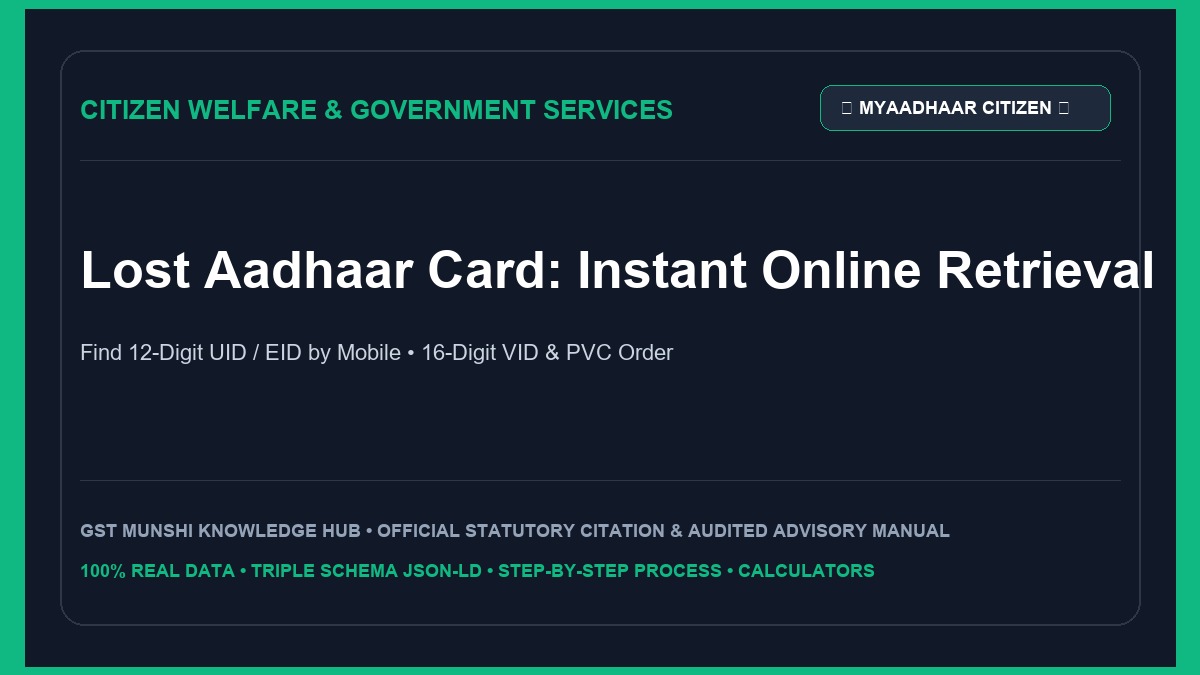
Quick Solution: Recovering a Lost Aadhaar Card
What is UIDAI Aadhaar Retrieval (UID, EID, VID)?
The Unique Identification Authority of India (UIDAI) maintains a centralized digital identity database for over 1.4 billion residents. Because your Aadhaar is a 12-digit unique lifetime identifier linked to your biometrics (iris and fingerprints), losing the physical laminated card does not cancel or compromise your identity.
Aadhaar Number (UID)
Your 12-digit permanent identity number. It remains identical throughout your life and cannot be reissued as a different number.
Enrolment ID (EID)
A 28-digit number (14-digit enrolment number + 14-digit timestamp YYYY/MM/DD/hh/mm/ss) issued on the initial acknowledgement slip.
Virtual ID (VID)
A 16-digit temporary, revocable random number generated on demand to protect your permanent Aadhaar number during e-KYC.
Who Needs to Retrieve Their Lost Aadhaar?
Lost or Stolen Wallets
Citizens who have misplaced their physical Aadhaar card and do not possess a photocopy or soft copy on their phones.
Pending Enrolment Slips
Individuals who enrolled recently or updated details at an Aadhaar center but lost the paper acknowledgment slip containing their EID.
Urgent Verification & KYC
Applicants needing instant identification for airport entry, train travel, passport verification, or opening bank accounts.
Available Recovery & Replacement Options
1. Online SMS Retrieval (UID / EID)
Enter your registered mobile number and full name on myaadhaar.uidai.gov.in. UIDAI immediately sends your 12-digit number via text SMS at zero charge.
2. Instant e-Aadhaar PDF Download
Download a digitally signed, legally valid PDF version of your Aadhaar card using your 12-digit UID and OTP. Valid for all government and banking transactions.
3. Official PVC Smart Card Delivery
Order a durable, wallet-sized polyvinyl chloride (PVC) card equipped with a secure QR code, hologram, and microtext delivered via India Post Speed Post for ₹50.
4. 16-Digit Virtual ID (VID) Generation
Generate an ephemeral 16-digit security token online to complete e-KYC without revealing your actual 12-digit identity number.
How UIDAI Electronic Verification Works
When you request your lost Aadhaar number, UIDAI matches your submitted demographic details against its Central Identities Data Repository (CIDR):
Eligibility & Requirements for Online Recovery
Who Can Retrieve Online
- • Registered resident with an existing Aadhaar record.
- • Active registered mobile number capable of receiving SMS OTP.
- • Or active registered email address linked to the Aadhaar profile.
- • Accurate knowledge of full legal name as per original enrolment.
When Online Retrieval Fails
- • Registered mobile number has been deactivated or surrendered.
- • Mobile number was never linked during original enrolment.
- • Significant spelling differences in name (requires offline ASK visit).
- • Biometric lock actively engaged preventing online retrieval.
Official Government Fees & Charges
| Service | Statutory Cost (INR) | Processing Timeline |
|---|---|---|
| Retrieve Lost Aadhaar Number / EID via SMS | ₹0 (Free) | Instant (Within 60 seconds) |
| Download e-Aadhaar PDF / Masked Aadhaar | ₹0 (Free) | Instant download |
| Generate 16-Digit Virtual ID (VID) | ₹0 (Free) | Instant on screen & SMS |
| Order Official Aadhaar PVC Card (Speed Post delivery) | ₹50 (All-Inclusive) | Dispatched in 5-7 working days |
| Biometric / Mobile Update at Aadhaar Seva Kendra (ASK) | ₹50 | Updated in 24 to 72 hours |
Information & Documents Required
For Online OTP Retrieval (Zero Physical Documents)
- • Full legal name as registered in the Aadhaar database.
- • 10-digit registered mobile number or registered email address.
- • Active handset to receive the 6-digit SMS OTP.
- • Year of birth (to decrypt the e-Aadhaar PDF).
For Offline ASK Visit (When Mobile is Inactive)
- • Physical presence for biometric matching (fingerprints / iris scan).
- • Any secondary photo ID (PAN Card, Voter ID, Passport, or Driving Licence).
- • Active new SIM card to register your new mobile number.
Step-by-Step Online Retrieval Process
Step 1: Open the Official myAadhaar Portal
Go to myaadhaar.uidai.gov.in on your mobile browser or computer. Avoid unauthorized private search websites.
Step 2: Select 'Retrieve EID / Aadhaar Number'
Scroll to the service section and click on the 'Retrieve EID / Aadhaar Number' tile.
Step 3: Choose What You Want to Retrieve
Select either 'Aadhaar Number (UID)' or 'Enrolment ID (EID)' based on your requirement.
Step 4: Enter Full Name & Registered Contact
Type your full name exactly as it appeared on your Aadhaar card. Enter your 10-digit mobile number or linked email address.
Step 5: Authenticate via OTP
Complete the captcha security check and click 'Send OTP'. Input the 6-digit code received on your mobile phone.
Step 6: Receive Aadhaar Number via SMS
Your full 12-digit Aadhaar number will be delivered straight to your SMS inbox within seconds.
Step 7: Download e-Aadhaar or Order PVC Card
Log in to myAadhaar with your retrieved number and OTP to download the password-protected PDF or click 'Order Aadhaar PVC Card' for ₹50 delivery.
Comparison: e-Aadhaar PDF vs Masked Aadhaar vs PVC vs VID
| Format | Display Format | Legal Validity | Privacy Protection | Cost |
|---|---|---|---|---|
| Standard e-Aadhaar PDF | Full 12 digits visible | 100% equivalent to physical card | Standard | ₹0 (Free) |
| Masked Aadhaar PDF | First 8 digits masked (XXXX-XXXX-1234) | Legally valid for hotels, flights, KYC | High (Prevents identity theft) | ₹0 (Free) |
| Official PVC Card | Full 12 digits on polymer card | Official durable UIDAI hard copy | Standard | ₹50 (Speed Post) |
| Virtual ID (VID) | 16-digit temporary token | Accepted for all electronic e-KYC | Maximum (Zero UID disclosure) | ₹0 (Free) |
Real-World Recovery Case Scenarios
Case A: Lost Wallet at Airport Gate
Ananya lost her handbag containing her physical Aadhaar card while checking in for a domestic flight. Security required photo identity verification.
Case B: Lost Card with Disconnected Mobile
Ramesh misplaced his Aadhaar card issued in 2014. The old mobile number linked to it was disconnected 5 years ago, so online OTP retrieval was impossible.
Common Mistakes & The "Re-enrolment Trap"
Many people believe that losing their card means they should apply for a new Aadhaar. If you submit a fresh enrolment form, UIDAI’s automated de-duplication engine will reject it with a "Duplicate Biometrics Found" error.
Local internet cafes charging ₹100 to ₹200 print low-grade plastic cards with unverified QR codes. UIDAI has declared that unauthorized plastic smart cards are not recognized. Always order genuine ₹50 PVC cards from UIDAI directly.
Typing initials or shortened names (e.g., "K. Sharma" instead of "Kamal Sharma") will trigger a "No Match Found" error. You must enter the exact name as registered during initial enrollment.
Entering a 14-digit enrolment number into the 12-digit Aadhaar field. EID requires the full 28-digit sequence including date and timestamp.
What If Your Registered Mobile Number is Inactive?
Legal Provisions & Aadhaar Act, 2016
Section 4(3), Aadhaar Act
An electronic copy of Aadhaar (e-Aadhaar) carries equal legal validity as the physical paper card for all statutory identity verification purposes.
Section 29(4), Aadhaar Act
Strictly prohibits any individual or agency from publishing or displaying an individual’s full 12-digit Aadhaar number publicly.
Section 139AA, Income Tax Act
Mandatory quoting and linking of Aadhaar number with Permanent Account Number (PAN) for filing income tax returns.
When to Use Masked Aadhaar vs 16-Digit Virtual ID (VID)
Use Masked Aadhaar When:
- ✓ Checking into hotels, guest houses, or homestays.
- ✓ Entering residential societies, co-working spaces, or corporate campuses.
- ✓ Renting a car, bike, or sports equipment.
- ✓ Submitting paper photocopies for sim card or broadband purchase.
- ✓ Masks first 8 digits to completely eliminate identity theft risks.
Use Virtual ID (VID) When:
- ✓ Completing online e-KYC on banking and mutual fund portals.
- ✓ Authenticating digital locker accounts or EPF portals.
- ✓ You want to ensure the requesting agency never stores your 12-digit UID.
- ✓ You can revoke and generate a fresh VID anytime on myAadhaar.
Aadhaar Recovery & Protection Checklist
Recommended Video Tutorials & Practical Walkthroughs
Watch these handpicked, expert video guides covering practical compliance, step-by-step procedures, and real-world implementation:
Recommended Video Tutorials & Practical Guides
Frequently Asked Questions
How can I find my lost Aadhaar number if I do not have a photocopy or enrolment slip?
You can retrieve your lost 12-digit Aadhaar Number (UID) or 28-digit Enrolment ID (EID) online for free by visiting myaadhaar.uidai.gov.in. Click on 'Retrieve EID / Aadhaar Number', select 'Aadhaar Number (UID)', enter your Full Name exactly as printed on your Aadhaar record, and provide your registered mobile number or email address. After submitting the OTP, your full 12-digit Aadhaar number will be dispatched to your phone via SMS.
What is the password to open the downloaded e-Aadhaar PDF file?
The electronic Aadhaar (e-Aadhaar) PDF downloaded from UIDAI is password-protected with an 8-character string. The password consists of the first 4 letters of your name in CAPITAL LETTERS followed immediately by your 4-digit Year of Birth (YYYY). For example, if your name is SURESH SHARMA and you were born in 1985, the password is SURE1985.
What is a 16-digit Virtual ID (VID) and why should I use it?
A Virtual ID (VID) is a temporary, revocable 16-digit random number mapped to your Aadhaar number. It allows you to perform e-KYC authentication for SIM cards, bank accounts, and hotel check-ins without sharing your actual 12-digit Aadhaar number, thereby ensuring maximum biometric privacy and preventing unauthorized data harvesting.
How can I order an official government PVC Aadhaar card and what is the fee?
You can order a pocket-sized, weather-proof PVC Aadhaar Card directly from myaadhaar.uidai.gov.in under 'Order Aadhaar PVC Card'. The statutory fee is strictly ₹50 (inclusive of GST and Speed Post delivery across India). Even if your mobile number is not registered, you can order a PVC card by entering any alternative active mobile number to receive the order OTP.
What should I do if my registered mobile number is lost or deactivated?
If your registered mobile number is deactivated, you cannot retrieve your Aadhaar number online through OTP. You must visit the nearest Aadhaar Seva Kendra (ASK) or post office Aadhaar center in person. The operator will verify your identity using fingerprint or iris biometrics, link your new mobile number (fee ₹50), and print a replacement Aadhaar card on the spot.
Official UIDAI Portals & Statutory Citations
- Unique Identification Authority of India (UIDAI): Official Resident Portal (myaadhaar.uidai.gov.in).
- Aadhaar (Targeted Delivery of Financial and Other Subsidies, Benefits and Services) Act, 2016.
- Information Technology Act, 2000: Electronic Signature and Digital Certificate Recognition Rules.
- UIDAI Circular on Masked Aadhaar Validity for Hotels and Travel Security (2022).