
Quick Summary & Key Takeaways (Featured Snippet)
TDS Mismatch & Section 154 Demand Rectification Simulator
Simulate tax credit shortfalls, project interest exposure under Section 234B/C, and get an instant rectification blueprint.
Notify Employer HR/Payroll to submit a Form 24Q correction statement via TRACES. Attach payslips showing salary TDS deduction. Once Form 26AS reflects full ₹45,000, submit a Section 154 'Reprocess Return' request.
The Anatomy of a TDS Discrepancy: Why Form 26AS & AIS Desynchronize
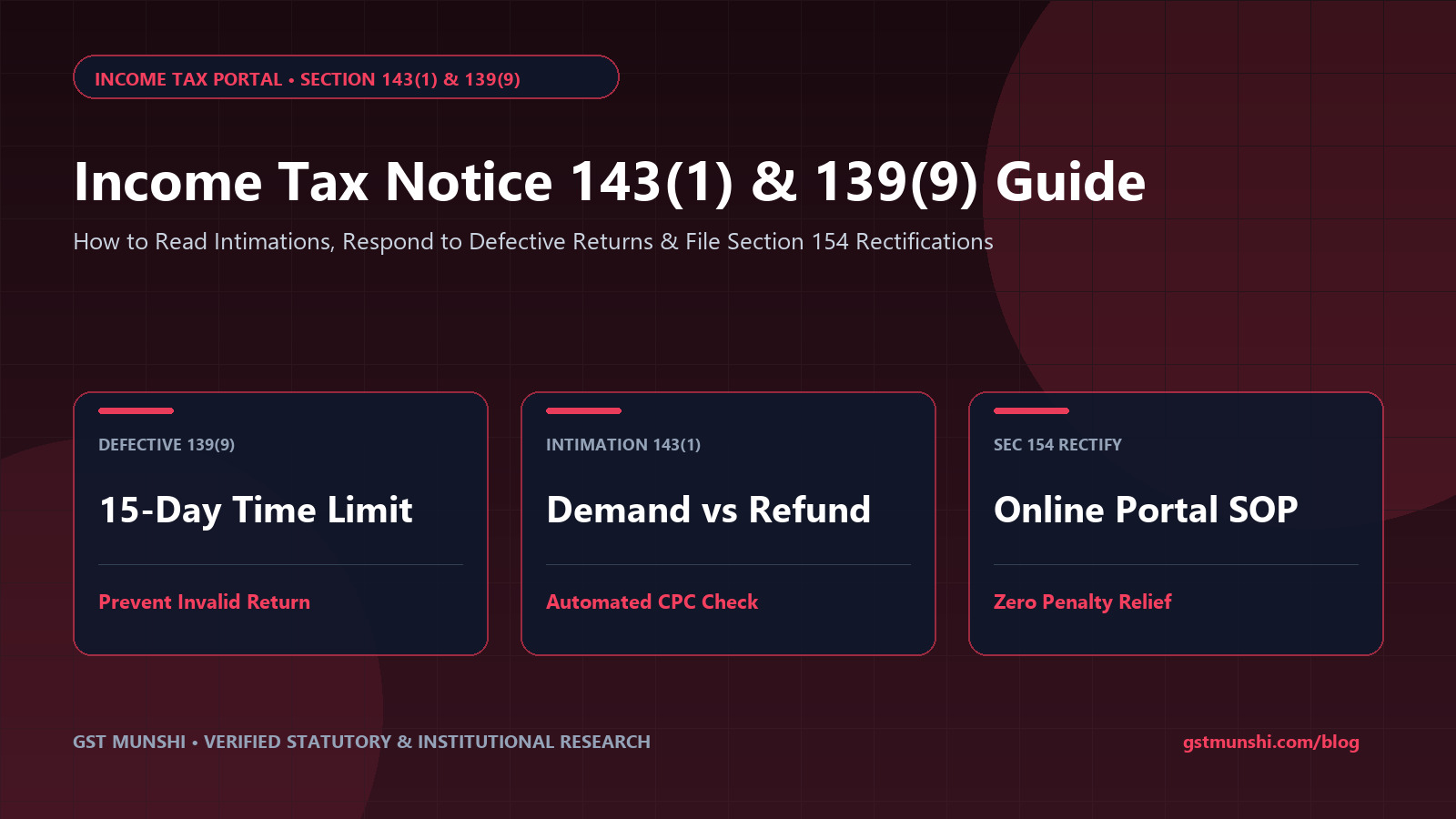
Under India’s direct tax architecture, the Centralized Processing Centre (CPC) in Bengaluru automates return assessments under Section 143(1) of the Income Tax Act, 1961. The algorithmic processing engine cross-checks every single rupee of Tax Deducted at Source (TDS) and Tax Collected at Source (TCS) claimed in Schedule TDS of your Income Tax Return against the statutory repository populated by deductor filings on TRACES.
When a divergence occurs—whether by a solitary rupee, an assessment year desynchronization, or a typographical error in your ten-character Permanent Account Number (PAN)—the processing engine automatically rejects the credit claim. The instantaneous result is an automated Intimation under Section 143(1)(a), converting what should have been a tax refund into an alarming demand notice burdened with statutory interest under Section 234B and Section 234C.
The 4 Primary Root Causes Behind Form 26AS Discrepancies
Before taking corrective steps, taxpayers must diagnose which specific failure in the compliance chain generated the mismatch:
- Deductor PAN Typographical Error: The employer, bank, or client accountant miskeyed your PAN while compiling quarterly Form 24Q or Form 26Q files. Consequently, the tax withheld from your money sits credited to an entirely different taxpayer’s ledger on TRACES.
- Omission or Non-Filing of Quarterly TDS Return: The deductor deducted tax from your salary or contractual bill and deposited the challan with the RBI/authorized bank, but failed to file their quarterly TDS return before the statutory deadline (July 31, October 31, January 31, or May 31).
- Timing Difference & Assessment Year Misalignment: A client deducted TDS on March 28 but deposited the challan and reported it in Q1 of the succeeding financial year. If you claim the credit in FY 2025–26 while the deductor reports it under FY 2026–27, CPC flags an irreconcilable timing mismatch.
- Challan Unmatched or Insufficient Balance on TRACES: The deductor filed the quarterly return with an incorrect BSR code, incorrect challan tender date, or incorrect challan sequence number, leaving the government ledger unmapped to your PAN.
TDS Mismatch Discrepancy Matrix: Root Causes & Exact Remedy
Statutory Resolution Guide| Discrepancy Type | Primary Responsible Entity | Correction Mechanism | Portal & Form Used | Resolution Time |
|---|---|---|---|---|
| Deductor entered incorrect PAN | Deductor (Employer/Bank/Client) | File Online PAN Correction on TRACES | TRACES > Form 24Q/26Q Correction | 7 – 10 Days |
| Deductor delayed quarterly return filing | Deductor (Employer/Bank/Client) | Upload original quarterly return with late fee | TIN-FC Portal / Protean | 10 – 15 Days |
| Assessment Year / Timing Mismatch | Taxpayer / Deductee | Reconcile Schedule TDS with relevant FY in return | e-Filing > Section 154 Rectification | 15 – 30 Days |
| Challan BSR / CIN mismatch | Deductor Bank / OLTAS | Deductor submits Challan Correction Request | TRACES > OLTAS Challan Correction | 15 – 20 Days |
| Property TDS (Section 194-IA) error | Buyer of Immovable Property | Submit online Form 26QB correction on TRACES | TRACES > Form 26QB Correction | 10 – 25 Days |
5-Step Standard Operating Procedure: Resolving Section 143(1) Demands
Cross-Verify Form 26AS, AIS, and Form 16/16A
Download your updated Form 26AS from TRACES and your Annual Information Statement (AIS) from the e-Filing portal. Compare line-by-line against your Form 16 (Part A) or Form 16A certificates to pinpoint the exact deductor TAN and quarter where credit was omitted or miscalculated.
Issue Written Notice to the Deductor
Draft a formal compliance letter to the employer, bank manager, or client accounts department. Attach copies of your bank statement showing net credit received, invoice copies, and PAN card. Request them to file a revised quarterly TDS return on TRACES using the Conso file mechanism.
Register Disagreement on e-Filing Portal
Log in to the Income Tax portal, navigate to Pending Actions > Response to Outstanding Demand. Choose Disagree with demand (Either in full or in part), select TDS/TCS credit mismatch, enter the exact shortfall amount, and upload your Form 16/16A as substantiating proof.
Monitor TRACES for 26AS Reflection
Once the deductor files the correction return, monitor your Form 26AS weekly. When the revised TDS credit appears with a verified booking status ('F' for Final / Booked), your tax credit record is officially synchronized with the CPC central database.
File Online Rectification Request Under Section 154
Navigate to Services > Rectification > New Request. Select Income Tax Return and the relevant Assessment Year. Under Request Type, select Reprocess the Return (if credit is now fully in 26AS) or Tax Credit Mismatch Correction. Submit via Aadhaar OTP or EVC. CPC will recompute liability, cancel the demand, and issue an amended intimation with zero outstanding tax.
Masterclass Video Series: Form 26AS, TRACES & Section 154
Watch comprehensive step-by-step video tutorials covering online portal navigation, TRACES correction mechanics, and Section 154 rectification filing.
TDS Credit Mismatch & Section 154 Rectification Walkthroughs
Handling Outstanding Demands & Portal Correction Walkthroughs
Frequently Asked Questions: Form 26AS & Section 154 Rectification
What should I do if my Form 26AS shows a wrong TDS entry or incorrect amount?
Only the deductor (your employer, bank, or client) who filed the TDS return can modify Form 26AS. You must formally notify the deductor's accounts department with transaction proofs. They must file a revised TDS return (Form 24Q for salary, Form 26Q for non-salary, or Form 26QB for property) on the TRACES portal. Once processed, Form 26AS and AIS update within 7 to 10 days.
Can I claim TDS in my ITR if it is not reflecting in Form 26AS or AIS?
While you are legally entitled to credit for taxes actually deducted from your income, the CPC automated processing engine will disallow the credit during intimation under Section 143(1)(a) and create an outstanding tax demand. You should reconcile the gap with your deductor and obtain Form 16/16A before filing, or file a Section 154 rectification once the deductor updates TRACES.
What is the time limit for filing a Section 154 rectification request?
Under Section 154(7) of the Income Tax Act, 1961, a rectification application must be filed within four years from the end of the financial year in which the order or intimation sought to be amended was passed by the Assessing Officer or CPC.
Can the Income Tax Department recover tax from me if my deductor deducted TDS but failed to deposit it?
No. Under Section 205 of the Income Tax Act, where tax is deductible at source, the assessee cannot be called upon to pay the tax directly if it has been deducted from their receipts. CBDT Circular No. 275/29/2014-IT(B) and landmark High Court judgments explicitly bar the department from raising coercive demands against deductees for deductor remittance defaults.
How do I respond to a Section 143(1) tax demand caused by a TDS credit mismatch?
Log in to the e-Filing portal, navigate to 'Pending Actions' > 'Response to Outstanding Demand'. Choose 'Disagree with Demand' and select reason 'TDS/TCS credit mismatch'. Upload your Form 16/16A and bank deduction statements. Then submit a Section 154 Rectification request under 'Reprocess the Return' once the deductor's revised TDS return is reflected in 26AS.
What is the difference between Form 26AS and Annual Information Statement (AIS)?
Form 26AS is a statutory tax credit statement under Section 203AA displaying TDS, TCS, and advance tax deposited against your PAN. AIS is a broader financial ledger displaying all high-value transactions, foreign remittances, stock trades, mutual fund redemptions, dividend payouts, and interest income reported by reporting entities under SFT.
What if an unknown company or person has entered TDS against my PAN in Form 26AS?
This usually indicates a typo where a deductor accidentally keyed in your PAN instead of another party's. Do not claim this credit in your ITR, as doing so adds the underlying fictitious income to your gross receipts. Submit feedback in AIS under the transaction line marking 'Information is not correct / Information belongs to other PAN'.
Can I introduce new Chapter VI-A deductions (like 80C or 80D) in a Section 154 rectification?
No. Section 154 is strictly limited to rectifying 'mistakes apparent from the record'. You cannot claim new deductions, revise gross income figures, or submit fresh exemptions that were omitted in your original or revised return under Section 139.
How long does CPC take to process a Section 154 rectification request?
Statutorily under Section 154(8), CPC or the Assessing Officer must dispose of the application within six months from the end of the month in which it is received. Electronically submitted 'Reprocess the Return' requests on e-Filing 2.0 typically process within 15 to 45 business days.
What is a TRACES Conso File and how is it used for corrections?
A Consolidated (Conso) File is an encrypted file provided by the TRACES portal containing comprehensive quarterly TDS filing details. The deductor imports this file into TDS preparation software to modify PANs, correct deduction amounts, or update challans before generating a revised return (.fvu file).
Does interest under Section 234B and 234C apply on tax demands caused by TDS mismatch?
When CPC rejects a TDS credit, it recalculates your net tax payable and automatically levies interest under Section 234B (shortfall in advance tax) and Section 234C (deferment of advance tax). Once a Section 154 rectification successfully re-allows the TDS credit, this interest liability is fully reversed.
How do I correct a TDS mismatch in property purchases under Section 194-IA (Form 26QB)?
For Form 26QB corrections (e.g. wrong seller PAN, wrong property value, or incorrect assessment year), the buyer must submit an online correction request directly on the TRACES portal. If the correction involves changing the seller's PAN or lowering the tax amount, approval from the jurisdictional Assessing Officer may be required.