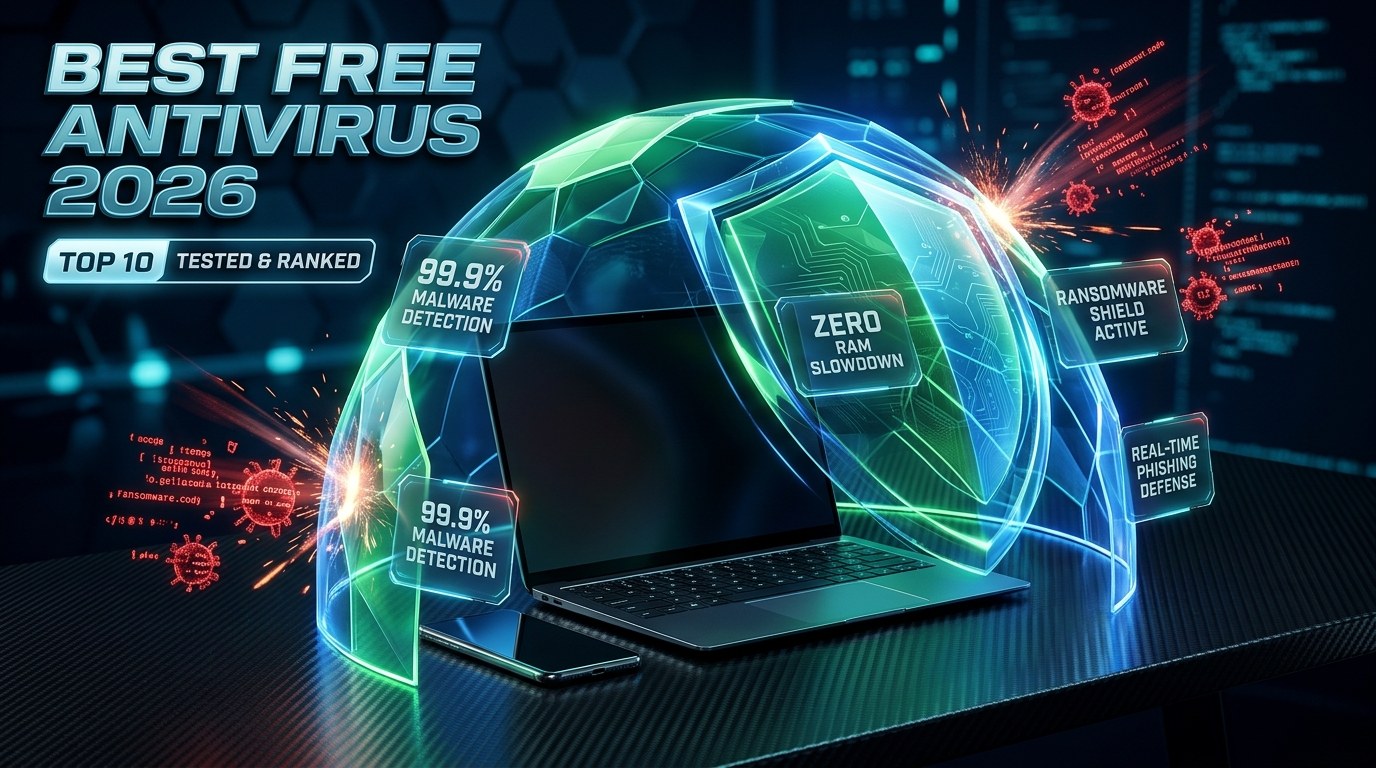
What is the best free antivirus software in 2026?
Top 10 Best Free Antivirus Software (2026 Master Chart)
Verified against AV-TEST & AV-Comparatives 2026 protection trials
| Rank & Antivirus | Parent Company & HQ | Detection & Lab Score | Idle RAM | Global Users / Downloads | Best Use Case | Official Free Download |
|---|---|---|---|---|---|---|
#1 Bitdefender Antivirus FreeWindows 10/11 • Android • macOS (Virus Scanner) | Bitdefender SRL Bucharest, Romania (European Union) (Est. 2001) | 99.9% Detection 6.0 / 6.0 Protection • 6.0 / 6.0 Performance | ~95 MB Ultra-Light | 500 Million+ Protected Endpoints Globally 4.8M+ Monthly Downloads | Windows 10/11 laptops, GST billing & accounting PCs, and gamers who want silent set-and-forget protection. | |
#2 Microsoft Defender Antivirus (Windows Security)Windows 10 • Windows 11 • Windows Server | Microsoft Corporation Redmond, Washington, USA (Est. 1975) | 99.5% Detection 6.0 / 6.0 Protection • 5.5 / 6.0 Performance | ~145 MB Standard | 1.4 Billion+ Active Windows Devices (Most Used Globally) Pre-Installed on 1.4B+ PCs | Users who want 100% built-in OS security, Controlled Folder Access for ransomware defense, and zero third-party installations. | |
#3 Avast One Essential / Avast Free AntivirusWindows 10/11 • macOS • Android • iOS | Gen Digital Inc. (formerly Avast Software) Prague, Czech Republic & Tempe, Arizona, USA (Est. 1988) | 99.8% Detection 6.0 / 6.0 Protection • 6.0 / 6.0 Performance | ~120 MB Standard | 435 Million+ Active Global Users (Avast + AVG Network) 11.5M+ Monthly Downloads | Users looking for a feature-packed all-in-one security suite across Windows, macOS, Android, and iOS. | |
#4 Kaspersky Free AntivirusWindows 10/11 • Android • iOS | Kaspersky Lab Moscow, Russia / Global Transparency Centers (Zurich, Switzerland) (Est. 1997) | 99.9% Detection 6.0 / 6.0 Protection • 6.0 / 6.0 Performance | ~85 MB Ultra-Light | 400 Million+ Users Worldwide (Outside US Jurisdiction) 5.2M+ Monthly Downloads | Indian Windows & Android users (especially older 4GB/8GB RAM PCs) wanting elite ransomware rollback and ultra-light speed. | |
#5 Malwarebytes FreeWindows 10/11 • macOS • Android • iOS • Chrome / Edge / Firefox | Malwarebytes Inc. Santa Clara, California, USA (Est. 2008) | 99.1% Detection 5.5 / 6.0 Protection • 6.0 / 6.0 Performance | ~65 MB Ultra-Light | 60 Million+ Monthly Active Installations 6.4M+ Monthly Downloads | Cleaning an already-infected PC, removing browser hijackers/adware, and pairing alongside Microsoft Defender. | |
#6 AVG AntiVirus FREEWindows 10/11 • macOS • Android • iOS | Gen Digital Inc. (AVG Technologies) Brno, Czech Republic & Tempe, Arizona, USA (Est. 1991) | 99.8% Detection 6.0 / 6.0 Protection • 6.0 / 6.0 Performance | ~118 MB Standard | 200 Million+ Active Global Users 6.8M+ Monthly Downloads | Windows and Mac users who want a sleek dark-mode dashboard, email attachment scanning, and a permanent file shredder. | |
#7 Avira Free SecurityWindows 10/11 • macOS • Android • iOS | Gen Digital Inc. (Avira Operations GmbH) Tettnang, Germany (Est. 1986) | 99.7% Detection 6.0 / 6.0 Protection • 5.8 / 6.0 Performance | ~110 MB Standard | 100 Million+ Installations Worldwide 3.1M+ Monthly Downloads | Users who want a single unified app combining German cloud antivirus, a Password Manager, a 500MB emergency VPN, and a PC cleaner. | |
#8 Sophos Intercept X / Home SecurityWindows 10/11 • macOS | Sophos Ltd. Abingdon, Oxfordshire, United Kingdom (Est. 1985) | 99.8% Detection 99.8% Enterprise Endpoint Protection Rating | ~130 MB Standard | 100 Million+ Corporate & Home Users across 150 Countries 1.2M+ Monthly Downloads | Small business owners, CAs, and tech-savvy family admins who want to remotely manage multiple Windows/Mac computers from one cloud dashboard. | |
#9 TotalAV Free AntivirusWindows 10/11 • macOS • Android • iOS | Protected.net Group Ltd. Fareham, Hampshire, United Kingdom (Est. 2016) | 99.2% Detection 5.5 / 6.0 Protection • 6.0 / 6.0 Performance | ~90 MB Ultra-Light | 30 Million+ Global Users 2.4M+ Monthly Downloads | Beginners who want an easy 1-click Smart Scan that checks for both malware and disk clutter. | |
#10 Panda Free Antivirus (Panda Dome)Windows 10/11 • Android | Panda Security (WatchGuard Technologies) Bilbao / Madrid, Spain & Seattle, USA (Est. 1990) | 99.1% Detection 5.5 / 6.0 Protection • 6.0 / 6.0 Performance | ~80 MB Ultra-Light | 30 Million+ Users Worldwide 1.5M+ Monthly Downloads | Retail billing counters, cyber cafes, CA offices, and printing shops where clients frequently plug in infected USB pen drives. |
Interactive Antivirus Finder & RAM Footprint Simulator
Select your device operating system, installed RAM capacity, and primary security priority below to get an instant personalized recommendation with direct official download links.
Best Overall Free Antivirus for Zero-Configuration Real-Time Protection & Low RAM Impact
Best Heuristic & Behavioral Ransomware Engine with Ultra-Fast System Performance
Best Enterprise-Grade Deep-Learning AI Protection & Remote Web Management for Families
2026 Antivirus Lab Performance & Resource Consumption Infographic
Which Free Antivirus Is Downloaded the Most? (Global & India Popularity Rankings)
Understanding how many millions of devices actively run an antivirus matters for a critical technical reason: modern antivirus engines rely on cloud crowd-intelligence (telemetry). The moment a new ransomware or phishing attack hits one computer in a 400-million-user network, the cloud AI immunizes every other user worldwide within seconds. Here is how the top free antivirus companies rank by active user base and monthly downloads:
Pre-installed across all Windows 10 and Windows 11 computers globally, giving Microsoft the largest real-time endpoint telemetry network on Earth.
Generating over 18 million combined monthly downloads across Windows, macOS, and Android Play Store, Avast and AVG dominate consumer third-party downloads.
Bitdefender powers 500M+ endpoints (including licensing its engine to 38% of security brands), while Kaspersky protects 400M+ users across India, Europe, and Asia.
Recommended Video Tutorials & Practical Guides


Detailed Reviews of the 10 Best Free Antivirus Software (2026)
Every review below covers the software company's history, independent lab scores, exact free-tier features, paid upgrade limits in ₹ INR, pros & cons, and verified direct download link.
Bitdefender Antivirus Free
Best Overall Free Antivirus for Zero-Configuration Real-Time Protection & Low RAM Impact
Bitdefender Antivirus Free consistently ranks at the very top of independent AV-TEST and AV-Comparatives benchmarks because it provides the exact same core Photon behavioral detection engine used in Bitdefender's paid enterprise suites. Unlike ad-heavy competitors, Bitdefender runs quietly in the background, offloading heavy signature calculations to cloud clusters so your PC never lags during daily accounting, browsing, or gaming.
Founded in 2001 by Florin Talpeș in Bucharest, Romania, Bitdefender is one of the world's most respected cybersecurity engineering firms. Over 38% of global security vendors license Bitdefender's core anti-malware SDKs inside their own commercial firewalls and endpoint security appliances.
What You Get 100% Free
- Full real-time behavioral malware, trojan, spyware, and rootkit shield
- Advanced anti-phishing & fraudulent banking URL blocker (HTTP/HTTPS scanning)
- Cloud-offloaded scanning engine that keeps local CPU & RAM footprint minimal
- Automatic silent gaming/work mode with zero pop-up ads during full-screen apps
- On-demand full system, custom folder, and USB pen-drive vulnerability scanning
Free Tier Limits & Paid Upgrade Pricing
- Does not include multi-layer ransomware file-encryption rollback (Paid Total Security only)
- Built-in VPN is capped at 200 MB/day on the free tier
- No dedicated two-way network firewall or webcam/microphone privacy blocker
Pros (Strengths)
- +99.9% real-world zero-day malware & phishing detection verified by AV-TEST
- +Extremely light on system memory (~95 MB idle RAM) thanks to cloud-assisted scanning
- +Industry-best anti-phishing shield that blocks fake Indian bank, UPI, and income-tax portals
- +Clean, distraction-free interface without aggressive hourly scareware pop-ups
Cons (Drawbacks)
- −Requires creating a free Bitdefender Central account to activate
- −macOS version is an on-demand scanner rather than a full real-time shield
- −Advanced ransomware remediation requires upgrading to Antivirus Plus (₹799/yr)
Microsoft Defender Antivirus (Windows Security)
Best Built-In Zero-Cost Antivirus Pre-Installed on Windows 10 & Windows 11
Gone are the days when Microsoft Security Essentials was a weak baseline tool. Today's Microsoft Defender Antivirus in Windows 10 and Windows 11 scores 6.0/6.0 in AV-TEST protection trials and includes features that many third-party vendors lock behind paywalls—most notably Controlled Folder Access (which blocks unauthorized executables from encrypting your critical folders) and Hardware-enforced Stack Protection.
Developed by Microsoft Corporation (founded in 1975), Microsoft Defender leverages telemetry from over 1.4 billion Windows endpoints, Azure cloud servers, and enterprise Defender for Endpoint installations—processing over 78 trillion security signals daily.
What You Get 100% Free
- 100% free forever with zero upsell banners, zero trial expirations, and zero third-party bloatware
- Controlled Folder Access (built-in anti-ransomware folder lock for Documents & Tally data)
- Core Isolation & Memory Integrity (HVCI hardware-backed kernel protection)
- SmartScreen filter integrated natively into Microsoft Edge and Windows File Explorer
- Built-in Windows Firewall, network packet inspection, and parental family safety controls
Free Tier Limits & Paid Upgrade Pricing
- Anti-phishing URL protection is strongest in Microsoft Edge; Chrome/Firefox users get weaker web filtering unless an extension is added
- Higher CPU utilization when copying thousands of small files or compiling code/databases
- Can be disabled by sophisticated admin-privilege infostealer scripts if Tamper Protection is turned off
Pros (Strengths)
- +Already built into Windows 10 and Windows 11—zero installation required and zero marketing pop-ups
- +Includes free Controlled Folder Access to protect Tally/Busy accounting data from ransomware
- +Never breaks Windows Updates or causes third-party kernel driver Blue Screens (BSOD)
- +Includes full two-way firewall and hardware virtualization security (Core Isolation)
Cons (Drawbacks)
- −Heavier disk/CPU impact during software installations compared to Bitdefender Free
- −Weaker malicious website blocking inside Google Chrome compared to dedicated web shields
- −User interface is spread across Windows Settings and classic control panels
Avast One Essential / Avast Free Antivirus
Most Downloaded Third-Party Free Security Suite with Web Shield, Network Scanner & Firewall
Avast Free Antivirus (and its newer unified platform, Avast One Essential) is the most downloaded third-party free antivirus in history. Unlike bare-bones scanners, Avast packs an extraordinary range of active modules into its free tier: real-time file and behavior shields, a dedicated ransomware folder guard, a Wi-Fi vulnerability inspector, a basic firewall, and a 5 GB/week encrypted VPN.
Founded in 1988 in Prague by Pavel Baudiš and Eduard Kučera as ALWIL Software, Avast pioneered the 'freemium' consumer antivirus model in 2001. In 2022, Avast merged with NortonLifeLock to form Gen Digital Inc. (NASDAQ: GEN), creating the world's largest consumer cyber-safety company.
What You Get 100% Free
- 6-Layer CyberCapture cloud analysis that isolates unknown suspicious `.exe` and `.zip` files
- Dedicated Web Shield, Email Shield, and Wi-Fi Home Network Inspector
- Built-in Ransomware Shield protecting primary Documents and Pictures folders
- Avast One Essential includes a basic software firewall and 5 GB/week free privacy VPN
- Full cross-platform support across Windows, Mac, Android, and iPhone/iPad
Free Tier Limits & Paid Upgrade Pricing
- Displays frequent promotional notifications and upgrade offers for Avast Premium Security
- Free VPN in Avast One cannot manually select specific international server locations
- Advanced fake-website DNS hijacking shield (Real Site) is reserved for paid plans
Pros (Strengths)
- +Richest feature set of any free antivirus—includes Web Shield, Ransomware Guard, and Wi-Fi Inspector
- +Works seamlessly across all 4 major operating systems (Windows, macOS, Android, iOS)
- +CyberCapture cloud sandbox automatically traps zero-day invoice malware before execution
- +Boot-time scan option cleans deeply embedded rootkits before Windows loads
Cons (Drawbacks)
- −Shows regular upsell pop-ups for paid cleanup and driver-updater add-ons (can be muted in Silent Mode)
- −Users should opt out of optional data-sharing telemetry in Privacy Settings during installation
- −Slightly larger disk footprint (~1.5 GB) than minimalist scanners
Kaspersky Free Antivirus
Best Heuristic & Behavioral Ransomware Engine with Ultra-Fast System Performance
In India and across Asia/Europe, Kaspersky Free remains one of the most technically formidable free antivirus solutions ever engineered. Its standout advantage over almost every other free competitor is the inclusion of 'System Watcher'—a behavioral monitoring module that records file changes in real time and automatically rolls back encrypted files if a zero-day ransomware strain tries to lock your computer.
Founded in 1997 by cybersecurity researcher Eugene Kaspersky, Kaspersky Lab is renowned for its Global Research and Analysis Team (GReAT), which uncovered some of the world's most sophisticated nation-state cyber threats (including Stuxnet, Equation Group, and Carbanak). Note: While restricted in the US market since 2024, Kaspersky operates actively in India with Swiss-hosted data transparency centers.
What You Get 100% Free
- Full System Watcher behavioral engine that detects and rolls back malicious ransomware changes
- Real-time File, Web, Mail, and Instant Messenger anti-malware shields
- Stalkerware and unauthorized remote-access tool (RAT) detection alert system
- On-screen virtual keyboard to prevent hardware/software keyloggers during net-banking
- Lowest CPU and RAM consumption among full-featured Windows security suites (~85 MB idle)
Free Tier Limits & Paid Upgrade Pricing
- Unavailable for download or updates inside the United States due to 2024 US Commerce Department rules (fully available in India, Europe, Asia, and Latin America)
- Safe Money isolated banking browser requires upgrading to Kaspersky Standard/Plus
- No built-in two-way firewall or unlimited VPN in the free edition
Pros (Strengths)
- +Includes System Watcher behavioral ransomware rollback even in the free version
- +Fastest scan speeds and lightest memory footprint (~85 MB RAM) for budget/older laptops
- +Awarded AV-Comparatives 'Product of the Year' multiple times with near-zero false positives
- +Very affordable paid upgrade path in India (often ₹599–₹899/year on official Indian portal)
Cons (Drawbacks)
- −Banned in the United States (not recommended for US government contractors or US-based firms)
- −Does not offer a free real-time antivirus client for macOS
- −Free Android app requires manual scans unless upgraded
Malwarebytes Free
Best Second-Opinion Virus Removal Tool, Adware Cleaner & Browser Guard Combo
Malwarebytes Free serves a unique, indispensable role in cybersecurity: it is the world's #1 'second-opinion' malware cleaner. While its desktop free version switches from real-time guard to manual on-demand scanning after 14 days, pairing **Microsoft Defender (for real-time file guard) + Malwarebytes Free (for weekly deep rootkit/adware scans) + Malwarebytes Browser Guard (free Chrome/Edge extension)** gives you a 100% free, zero-conflict fortress.
Founded in 2008 by Marcin Kleczynski in California after he cleaned a stubborn malware infection on his family PC with help from technician forums, Malwarebytes became the gold standard for IT repair shops and incident responders worldwide.
What You Get 100% Free
- Industry-leading on-demand scanner for removing ALREADY infected trojans, rootkits, spyware, and PUPs (Potentially Unwanted Programs)
- 100% Free 'Malwarebytes Browser Guard' extension blocks malicious ads, credit-card skimmers, and tech-support scam pop-ups in real time
- Zero conflict with Microsoft Defender or other primary real-time antivirus programs
- Includes 14-day full trial of Malwarebytes Premium real-time protection upon install
- Ultra-fast Threat Scan completes in 60–90 seconds on SSD systems
Free Tier Limits & Paid Upgrade Pricing
- After the 14-day trial ends, the desktop app becomes an ON-DEMAND scanner only (no background real-time file guard unless paired with Windows Defender)
- Real-time ransomware & exploit shield requires Malwarebytes Standard paid plan
Pros (Strengths)
- +Unmatched at disinfecting PCs that are already infected with stubborn trojans, adware, and browser hijackers
- +Free Malwarebytes Browser Guard extension provides 24/7 real-time phishing, scam, and tracker blocking
- +Designed specifically to run alongside Microsoft Defender without any driver conflicts
- +Clean, fast interface with zero background resource drain when idle
Cons (Drawbacks)
- −Desktop app does not provide continuous 24/7 background file scanning after the 14-day trial expires
- −Paid annual subscription is pricier in India compared to Bitdefender or Kaspersky
AVG AntiVirus FREE
Best Free Antivirus with Real-Time File Shredder, Email Shield & Deep Link Scanner
AVG AntiVirus FREE (Anti-Virus Guard) shares the same award-winning threat-intelligence engine as Avast under parent company Gen Digital, wrapped in a cleaner, dark-themed dashboard that many longtime PC users prefer. It is also one of the very few free antivirus packages that provides true real-time file and web shielding on macOS in addition to Windows.
Founded in 1991 in Brno, Czechoslovakia by Jan Gritzbach and Tomáš Hofer, AVG was one of the earliest security companies to offer a full real-time antivirus for free to home users. Acquired by Avast in 2016 and now part of Gen Digital (S&P 500), AVG protects over 200 million devices globally.
What You Get 100% Free
- 6-layer real-time virus, spyware, and ransomware folder protection
- Email Shield scans incoming/outgoing Outlook and Thunderbird attachments for macro malware
- Web & Link Scanner checks URLs for phishing before pages load
- Permanent File Shredder securely wipes sensitive tax and financial PDFs beyond recovery
- Full macOS real-time background file & web shield included for free
Free Tier Limits & Paid Upgrade Pricing
- Displays periodic promotional prompts for AVG TuneUp and AVG Internet Security
- Fake-bank DNS protection and webcam guard are locked to the paid version
Pros (Strengths)
- +Identical 6.0/6.0 AV-TEST detection engine as Avast with a sleeker dark-mode interface
- +Includes a free permanent File Shredder and real-time macOS background shield
- +Blocks malicious macro-enabled Excel/Word invoice attachments automatically
- +Turbo Scan skips previously verified safe system files to cut scan times by 60%
Cons (Drawbacks)
- −Shows fake 'additional issues found' upsell prompts after manual scans
- −Bundles optional AVG Secure Browser during setup unless unchecked
Avira Free Security
Best German-Engineered Cloud Antivirus with Built-In Free VPN, Password Manager & PC Optimizer
Avira Free Security is a German-engineered 'Swiss Army Knife' of cybersecurity. Rather than offering only a virus scanner, Avira bundles its cloud-based NightVision AI anti-malware engine together with a genuinely unlimited free Password Manager, a 500 MB/month Phantom VPN for coffee-shop banking, and a startup optimizer—all inside a single dashboard.
Founded in 1986 by Tjark Auerbach in Tettnang, Germany (originally as H+BEDV Datentechnik GmbH with the iconic red umbrella logo), Avira built a 38-year reputation for high heuristic detection and strict German engineering standards before joining Norton/Gen Digital.
What You Get 100% Free
- NightVision AI cloud-based real-time malware and PUA (Potentially Unwanted Application) shield
- Avira Phantom VPN Free included (500 MB/month encrypted bandwidth)
- Avira Password Manager Free with unlimited password syncing and 2FA support
- Avira Browser Safety extension blocks malvertising, trackers, and phishing pages
- Built-in Software Updater, Junk Cleaner, and Startup Optimizer tools
Free Tier Limits & Paid Upgrade Pricing
- 500 MB/month VPN allowance is only suitable for short public Wi-Fi banking sessions
- Automatic 1-click driver/software patching requires Avira Prime
- Web protection relies on installing the Avira Browser Safety browser extension
Pros (Strengths)
- +Includes a 100% free unlimited Password Manager alongside real-time cloud antivirus
- +Includes 500 MB/month free Phantom VPN for securing quick UPI/net-banking transactions on public Wi-Fi
- +Excellent PUA (bundled adware/toolbar) blocking during freeware installations
- +Full real-time protection available on both Windows and macOS
Cons (Drawbacks)
- −Web shield works via browser extension rather than system-level network packet filtering
- −Smart Scan ends by highlighting performance/privacy items that require paid Avira Prime to auto-fix
Sophos Intercept X / Home Security
Best Enterprise-Grade Deep-Learning AI Protection & Remote Web Management for Families
Sophos is a titan in corporate banking and enterprise endpoint security. Its consumer edition brings Sophos's signature Deep Learning AI and CryptoGuard anti-ransomware technology to home and small-office computers, controlled entirely through a centralized cloud dashboard—meaning an IT admin or family member can trigger scans and configure web filters on parents' or staff laptops remotely.
Founded in 1985 by Jan Hruska and Peter Lammer in Oxford, United Kingdom, Sophos protects over 500,000 organizations globally, including major banks, hospitals, and universities.
What You Get 100% Free
- Deep-learning neural network AI detects never-before-seen zero-day malware without relying only on traditional signatures
- Remote Cloud Dashboard lets you manage and scan up to 3 family/office PCs or Macs from any web browser
- Built-in Parental Web Filtering blocks adult/malicious categories by domain type
- 30-day full trial of Intercept X ransomware CryptoGuard & banking keylogger shield
- Zero third-party adware, bloatware, or fake system-tuneup upsells
Free Tier Limits & Paid Upgrade Pricing
- Sophos transitioned new accounts to a 30-day free trial followed by paid Home Premium, though legacy free tier and free trial remain widely used for remote family administration
- All settings are configured via a cloud web portal rather than a local desktop GUI
Pros (Strengths)
- +Uses true corporate Intercept X predictive deep-learning AI to stop zero-day executables
- +Remote cloud dashboard lets you manage parents' or employees' laptops from anywhere
- +Covers both Windows and macOS with zero adware or nagware
- +Strong banking keylogger and credential-theft mitigation
Cons (Drawbacks)
- −Requires an active internet connection to change settings via the cloud management console
- −New installations default to a 30-day free trial before requiring Home Premium for full features
TotalAV Free Antivirus
Best Beginner-Friendly On-Demand Scanner with Smart System Tune-Up & Data Breach Check
TotalAV has grown rapidly over the past decade by pairing Avira's battle-tested anti-malware scanning engine with one of the most polished, easy-to-understand interfaces on the market. Its WebShield module excels at blocking deceptive phishing links and fake tech-support websites.
Launched in 2016 by Protected.net Group Ltd. in Hampshire, UK, TotalAV has won multiple AV-Comparatives awards for ease of use and low false-positive rates.
What You Get 100% Free
- Uses a licensed Avira anti-malware engine combined with TotalAV's WebShield phishing blocker
- Smart Scan checks for malware, tracking cookies, duplicate files, and startup bottlenecks simultaneously
- Includes a 7-day full trial of real-time protection, after which on-demand scanning remains free
- Very intuitive, beginner-friendly visual interface ideal for non-technical users
Free Tier Limits & Paid Upgrade Pricing
- Continuous 24/7 real-time background file guard requires upgrading after the initial trial period
- Renewal pricing in year 2 is significantly higher than initial introductory pricing
Pros (Strengths)
- +Extremely simple, modern dashboard that anyone can operate with 1 click
- +Strong WebShield dangerous-website and phishing blocker
- +Includes duplicate file finder and startup program manager in Smart Scan
Cons (Drawbacks)
- −Free tier is primarily an on-demand scanner + web shield after the initial real-time trial
- −Frequent upgrade prompts during checkout and scan completion
Panda Free Antivirus (Panda Dome)
Best Ultra-Light Cloud Antivirus with USB Vaccine & Emergency Bootable Rescue Kit
Panda Free Antivirus (now branded as Panda Dome Free) is a favorite for retail shops, CA offices, and older Windows PCs for two standout reasons: first, all heavy analysis happens in Panda's cloud ('Collective Intelligence'), keeping local RAM use around 80 MB; second, its **USB Vaccine** automatically disables `autorun.inf` on every pen drive inserted into your computer, stopping USB-borne worms dead in their tracks.
Founded in 1990 by Mikel Urizarbarrena in Bilbao, Spain, Panda Security pioneered cloud-based antivirus ('Panda Cloud Antivirus') in 2009. In 2020, Panda Security was acquired by US enterprise network security leader WatchGuard Technologies.
What You Get 100% Free
- 100% cloud-based Collective Intelligence real-time Windows antivirus (no heavy daily signature downloads)
- Automatic USB Vaccine immunizes every USB flash drive plugged into your PC against Autorun malware
- Panda Rescue Kit creates a bootable emergency USB drive to disinfect unbootable PCs
- Includes 150 MB/day free VPN (powered by Hotspot Shield) and Dark Web email breach monitor
- Process Monitor lets you inspect every running `.exe` process and its digital signature
Free Tier Limits & Paid Upgrade Pricing
- Does not include a dedicated real-time web phishing blocker in the free tier (pair with browser protection)
- Free VPN is limited to 150 MB/day and 1 automatic virtual server location
Pros (Strengths)
- +Unique automatic USB Pen-Drive Vaccine—ideal for shops and offices handling client USB drives
- +Free bootable Rescue Kit USB creator recovers PCs that cannot boot into Windows
- +Includes 150 MB/day free VPN and a detailed Process Monitor for power users
- +Very low RAM & CPU usage on older Dual-Core / i3 / 4GB RAM systems
Cons (Drawbacks)
- −Weaker built-in phishing URL filtering than Bitdefender or Avast
- −No real-time antivirus client for macOS or iOS in the free plan
Free Antivirus vs Paid Antivirus: Feature Availability & Pricing Matrix
Do you actually need to pay for an antivirus in 2026, or is a free plan enough? Use this side-by-side capability matrix to see exactly which security layers are included for ₹0 across our top contenders:
| Security Feature / Module | Bitdefender Free | Microsoft Defender | Avast Free | Kaspersky Free | Malwarebytes Free |
|---|---|---|---|---|---|
| 24/7 Real-Time Malware & Trojan Shield | ✅ Included Free | ✅ Included Free | ✅ Included Free | ✅ Included Free | ⚠️ 14-Day Trial (Then Manual) |
| Anti-Phishing & Fake Banking URL Blocker | ✅ Included (All Browsers) | ⚠️ Best in MS Edge | ✅ Included (Web Shield) | ✅ Included Free | ✅ Free via Browser Guard |
| Ransomware Protection / Folder Lock | 🔒 Paid Plus (₹799/yr) | ✅ Controlled Folder Access | ✅ Ransomware Shield Free | ✅ System Watcher Rollback | 🔒 Paid Standard |
| Two-Way Network Firewall | 🔒 Paid Total Security | ✅ Windows Firewall Included | ✅ Basic Firewall Included | 🔒 Paid Standard | ❌ Not Applicable |
| Built-In Free VPN Allowance | 200 MB / Day Free | ❌ None | 5 GB / Week (Avast One) | 300 MB / Day Free | 🔒 Paid Plus Plan |
| Zero Promotional Pop-Up Ads | ✅ Silent & Clean | ✅ 100% Ad-Free | ❌ Periodic Upgrade Prompts | ✅ Minimal Prompts | ✅ Minimal Prompts |
Recommended Video Tutorials & Practical Guides
4-Step CERT-In Cyber Hygiene Blueprint: How to Set Up 100% Free Maximum Protection
Even the world's best antivirus can be bypassed if configured poorly. Follow this 4-step Standard Operating Procedure (aligned with Indian Computer Emergency Response Team — CERT-In guidelines) to lock down your laptop or GST billing PC in under 10 minutes:
Choose Exactly ONE Primary Real-Time Engine
Install either Bitdefender Antivirus Free, Kaspersky Free, or Avast Free—or keep Microsoft Defender active with Tamper Protection turned ON. Never install two real-time antivirus programs together.
Add Malwarebytes Free + Browser Guard as Layer 2
Install the free Malwarebytes Browser Guard extension on Chrome, Edge, or Brave to block fake banking/GST phishing portals and malicious pop-ups, and run a manual Malwarebytes Threat Scan once a month.
Enable Ransomware Folder Protection for Accounting Data
If you use Tally Prime, Busy, or offline Excel/JSON GST files, add your data directory to Windows Controlled Folder Access or Avast/Kaspersky Ransomware Shield so unknown `.exe` files cannot encrypt your books.
Enable File Extensions in Windows Explorer
In Windows File Explorer → View → Show → check 'File name extensions'. Attackers frequently disguise trojans as `GST-Invoice-March.pdf.exe`. Seeing the `.exe` or `.scr` ending prevents accidental clicks.
Related US Consumer Protection, Banking Safety & Tech Guides ($ USD):
Frequently Asked Questions (Best Free Antivirus Software 2026)
Q1. Which is the #1 best free antivirus software for Windows 10 and Windows 11 in 2026?
Bitdefender Antivirus Free is the #1 overall standalone free antivirus for Windows 10 and Windows 11 in 2026, scoring a perfect 6.0/6.0 in AV-TEST protection and performance benchmarks with a 99.9% zero-day detection rate and only ~95 MB idle RAM usage. For users who prefer a built-in solution without installing third-party software, Microsoft Defender combined with the free Malwarebytes Browser Guard extension is an equally strong zero-cost setup.
Q2. Which free antivirus software is the most downloaded in the world?
By total active installations, Microsoft Defender is the most widely used antivirus globally (pre-installed on over 1.4 billion Windows PCs). Among third-party downloadable free antivirus programs, Avast Free Antivirus (along with sister brand AVG under Gen Digital) ranks #1 with over 435 million active users worldwide, followed by Bitdefender (500M+ engine endpoints) and Kaspersky (400M+ global users).
Q3. Is Windows Defender enough in 2026, or should I install a free third-party antivirus?
Microsoft Defender in Windows 10 and 11 is genuinely strong against known viruses and includes Controlled Folder Access against ransomware. However, independent tests show two gaps: (1) its anti-phishing web filter (SmartScreen) primarily protects Microsoft Edge rather than Google Chrome or Brave, and (2) it consumes more CPU when scanning large archives. Installing Bitdefender Free, Kaspersky Free, or Avast Free adds cross-browser phishing protection and lighter cloud scanning.
Q4. Can I run two free antivirus programs at the same time for double protection?
No, you should NEVER run two real-time antivirus engines (such as Bitdefender Free and Avast Free) simultaneously, because their kernel-level file system drivers will clash, causing severe system freezes and false positives. However, you CAN safely pair one real-time antivirus (like Microsoft Defender or Bitdefender Free) with an on-demand second-opinion scanner like Malwarebytes Free.
Q5. Which is the best free antivirus for old or low-RAM (4GB RAM) laptops and GST billing PCs?
Kaspersky Free (~85 MB idle RAM), Panda Dome Free (~80 MB idle RAM), and Bitdefender Antivirus Free (~95 MB idle RAM) are the three best choices for older 4GB RAM laptops, POS billing counters, and Tally/GST accounting computers because they offload heavy heuristic analysis to cloud servers.
Q6. Which free antivirus is best for Mac (macOS Sonoma / Sequoia), Android, and iPhone?
For macOS, Avast One Essential, AVG AntiVirus Free, and Avira Free Security offer true real-time background file and web shields at ₹0 cost. For Android smartphones, Bitdefender Antivirus Free (Android) and Avast Mobile Security provide top-rated APK malware scanning without battery drain.
Q7. How do free antivirus companies make money if the software is 100% free?
Legitimate cybersecurity companies operate on a 'freemium' model: the free version protects millions of users (which also feeds anonymized threat telemetry into their global cloud AI networks, making their detection smarter for enterprise clients), while a percentage of home users voluntarily upgrade to paid plans for extras like unlimited VPNs, password managers, multi-device family licenses, and 24/7 phone support.
Q8. Are free antivirus programs safe for online banking, UPI, and GST portal logins in India?
Yes, provided you download them strictly from the official vendor domains listed in this guide. Bitdefender Free, Kaspersky Free, and Avast Free actively inspect HTTPS certificates to block fake Indian banking pages, clone income-tax/GST phishing portals, and malicious `.exe` or `.scr` invoice attachments.