
What are the best Xfinity internet plans and how do you avoid hidden rental fees?
For most US households, Xfinity's Fast (300 Mbps for $45–$55/month) or Superfast (500 Mbps for $60–$70/month) offers the optimal speed-to-value ratio for simultaneous 4K streaming and remote work. To eliminate Comcast's $15/month ($180/year) xFi Gateway equipment rental fee, purchase an approved DOCSIS 3.1 cable modem (such as the ARRIS Surfboard S33 or Netgear CM1000) which breaks even in under 11 months. Heavy streaming households can bypass the 1.2 TB data cap by adding xFi Complete for $15–$25/month.
Xfinity Speed Tier & Modem Purchase Savings Calculator (2027)
Determine the ideal Xfinity Comcast speed tier for your household and see how much money you save by purchasing your own DOCSIS 3.1 modem instead of paying $15/month rental fees.
1Deconstructing Xfinity Speed Tiers: How Many Mbps Do You Really Need?
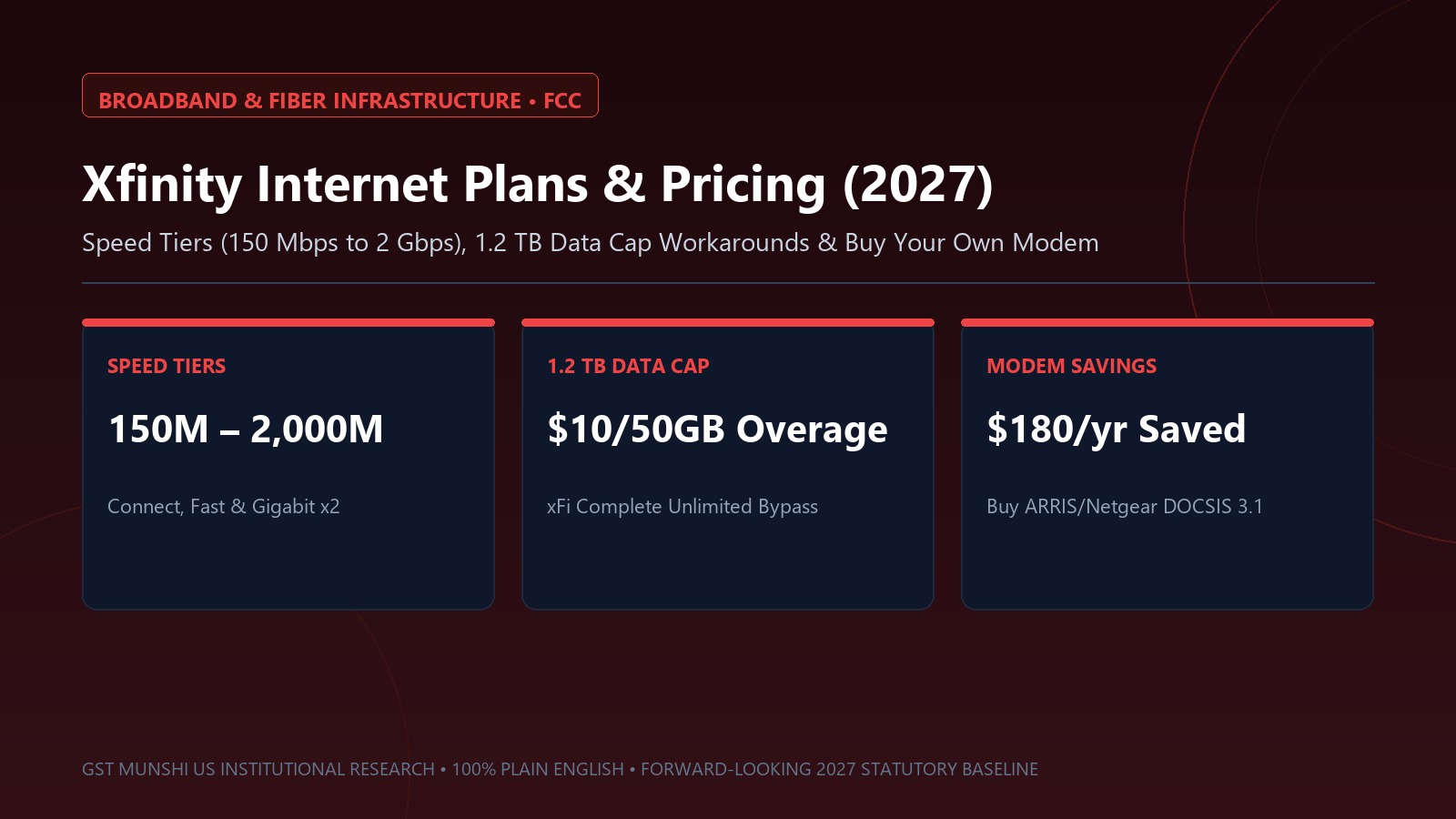
Comcast Xfinity markets broadband speeds ranging from 150 Mbps to 2,000 Mbps (Gigabit x2). However, internet service providers frequently push consumers toward expensive gigabit tiers that vastly exceed typical household throughput demands.
A single 4K Ultra HD video stream on Netflix, YouTube, or Apple TV consumes approximately 15 to 25 Mbps of bandwidth. A household with four people streaming 4K video simultaneously uses less than 100 Mbps of aggregate downstream bandwidth. The primary bottleneck in modern hybrid homes is upload speed, which on Comcast's hybrid fiber-coaxial (HFC) network is heavily asymmetrical (e.g., 20–35 Mbps upload on a 1,000 Mbps download connection) until DOCSIS 4.0 mid-split upgrades roll out.
- Connect (150 Mbps down / 20 Mbps up): Ideal for 1–2 individuals, basic web browsing, and 1080p streaming ($35/mo promo).
- Fast (300 Mbps down / 20 Mbps up): The sweet spot for families of 3–4 with multiple laptops, tablets, and 4K TVs ($50/mo promo).
- Superfast (500 Mbps down / 20 Mbps up): Excellent for remote professionals who frequently upload large video files or game online ($65/mo promo).
- Gigabit Extra (1,000 Mbps down / 35 Mbps up): Best for smart homes with 25+ connected devices, home security cameras, and cloud servers ($80/mo promo).
2The $180/Year Equipment Trap: Buy Your Own DOCSIS 3.1 Modem
When you sign up for Xfinity, Comcast automatically adds an xFi Gateway modem/router combo unit to your monthly bill for $15/month ($180/year plus taxes). Over a standard 3-year period, renting an xFi Gateway costs you $540 for hardware you will never own.
By purchasing an approved third-party DOCSIS 3.1 cable modem (such as an ARRIS Surfboard S33, Netgear CM1000, or Motorola MB8611) for $150–$170, and pairing it with a high-performance standalone Wi-Fi 6E/7 router, you eliminate the $15/month fee permanently. The hardware achieves full financial break-even within 11 months.
3The 1.2 TB Data Cap: How to Avoid Comcast's $10/50GB Overage Penalty
In 27 of its 39 operating states (primarily in the Central and Western divisions), Comcast enforces a 1.2 Terabyte (1,229 GB) monthly data transfer limit. In the Northeast division, state regulatory pressure has prevented the cap from taking effect.
If your household downloads large 100 GB+ video games (such as Call of Duty or GTA) and streams 4K video all day, you risk exceeding the cap. Comcast grants one courtesy month per 12-month period. After that, Comcast automatically bills you $10 for every 50 GB block of data over the limit, up to a maximum penalty of $100/month.
- Option 1: Add xFi Complete ($15–$25/month). This bundle includes the xFi Gateway rental and unlimited data, making it cheaper than paying for standalone unlimited data ($30/mo) on customer-owned modems.
- Option 2: Adjust Streaming Quality. Setting Netflix and YouTube to 1080p instead of 4K slashes hourly data consumption from 7 GB down to 1.5 GB.
- Option 3: Switch to Comcast NOW Internet. Comcast's prepaid 'NOW Internet' offers 100 Mbps ($30/mo) or 200 Mbps ($45/mo) with unlimited data, zero contracts, and free gateway equipment included.
Xfinity Internet Tiers (2027): Speeds, Uploads, Promo Rates & Hardware
| Tier Name | Download Speed | Upload Speed | Promo Price (Autopay) | Best For |
|---|---|---|---|---|
| Connect | 150 Mbps | 20 Mbps | $35 / mo | 1–2 users, basic web browsing, video calls |
| Fast | 300 Mbps | 20 Mbps | $50 / mo | 3–4 users, dual 4K streaming, remote work (Sweet Spot) |
| Superfast | 500 Mbps | 20 Mbps | $65 / mo | Smart homes, console gaming, multiple remote workers |
| Gigabit Extra | 1,000 Mbps (1 Gbps) | 35 Mbps | $80 / mo | High-density tech households with 20+ active devices |
| NOW Internet (Prepaid) | 200 Mbps | 10 Mbps | $45 / mo (Flat) | Zero contracts, free modem, 100% UNLIMITED DATA included |
4-Step Blueprint to Optimize Your Xfinity Internet & Slash Your Bill
Check Your Mandatory FCC Broadband Consumer Label
Review your plan's FCC Broadband Label on your Xfinity account. Check the post-promotional regular monthly rate, upload speed commitments, and data cap disclosures.
Purchase and Activate a DOCSIS 3.1 Approved Modem
Buy an approved ARRIS S33 or Netgear CM1000. Connect it to the coaxial wall jack, open the Xfinity smartphone app, and follow the 5-minute automated MAC address activation wizard.
Return the Rental xFi Gateway and Get a Receipt
Take Comcast's rental xFi Gateway to an official Xfinity Store or UPS Store. Ensure you receive a physical tracking receipt and verify the $15/month rental fee drops off your next billing statement.
Set Up Autopay and Paperless Billing for $10/mo Discount
Link your checking account (ACH) to Xfinity Autopay. Comcast provides a $10/month discount for bank account direct debit ($5/mo for credit cards), saving $120 per year.
Curated Expert Video Walkthroughs & Wall Street Briefings



Frequently Asked Questions (Verified Statutory Answers)
Q1: What is the difference between DOCSIS 3.1 and DOCSIS 4.0?
DOCSIS 3.1 is the current industry standard for cable internet, capable of delivering downstream speeds up to 10 Gbps and upstream speeds up to 1–2 Gbps. DOCSIS 4.0 is the next-generation standard enabling symmetrical multi-gigabit speeds (matching pure fiber optics like 1 Gbps down / 1 Gbps up over existing coaxial copper wiring). Buying a DOCSIS 3.1 modem today guarantees full compatibility with Xfinity plans for years to come.
Q2: How do I check my monthly Xfinity data usage?
You can monitor your real-time household data consumption by logging into the Xfinity smartphone app or visiting customer.xfinity.com/#/devices. Comcast updates data counters daily and sends automated email/SMS push notifications when your household reaches 75%, 90%, and 100% of the 1,229 GB monthly threshold.
Q3: Does Xfinity require an annual contract?
In most markets, Xfinity offers promotional pricing with either a 1-year agreement or a no-term-contract option. Opting for a 1-year contract typically lowers the promotional monthly rate by $10–$15/month, but carries an Early Termination Fee (ETF) that decreases by $10 for each month fulfilled if you cancel service early. Prepaid 'NOW Internet' plans carry zero contracts.
Q4: Is Xfinity Mobile worth bundling with home internet?
Xfinity Mobile operates as a Mobile Virtual Network Operator (MVNO) on Verizon's nationwide 5G network. If you maintain Xfinity home internet, Xfinity Mobile offers unlimited phone lines starting at $30–$40/month per line, and often provides a $20–$30/month bill credit on your home broadband account for the first 12–24 months.

Curated Expert Insights & Verified Consumer Disclosures
“Comcast's $15/month modem rental fee is one of the biggest legal money-printing machines in telecommunications. A $160 DOCSIS 3.1 modem will easily last 5 to 7 years. You are handing Comcast $1,000+ in unnecessary rent over that timeframe.”
“All internet service providers must now display standardized Broadband Consumer Labels at the point of sale. Look closely at the 'Discounts & Bundles' section to see exactly when promotional rates expire and jump to full price.”